This is a repost from January 14, 2011. I had thought about doing a new post, but it is still relevant and came up in my conversation with our new Tombros Librarian Chuck Jones and CLA associate dean Christopher Long.
I still find Sente to be most useful for me and their new Sync2 has made it even better and easier to set up the same bibliography on multiple machines (i.e., to share with others). There are new pricing structures with Sente 6 as well. There is a free account with up to 250MB of storage and the iPad app is now free. The Sente app for Mac at full price should only be $49.95, for an academic the cost is even less, $29.95. That comes with 1GB of storage (so far enough for me). You can now also purchase more server space anywhere from 5GB at $20/yr to 100GB for $130.
A few other links have been updated in the body of the post as well.
Original Post:
14 January 2011
I am getting (finally) deeper into my research project on Targum Ruth and needing to organize my bibliography and research PDFs. Now while you all know that I am no luddite I will tell you that database software and bibliographic software in particular is my kryptonite. My brain simply locks up when I try and understand how they work and what is going on. Fortunately I have a very patient and hard-working grad assistant who has helped me through this process.
My PSU colleague Chris Long has written about his “Evolving Digital Research Ecosystem” [Updated post: “Sente, Mendeley, Zotero: Too Many Sharp Tools“] and has long encourage me to consider Zotero and Mendeley. However, see above. Mendeley in particular strikes me as overwrought. Both, however have the benefit of being free. Clearly what I needed to do was to prioritize my needs and consider the options. Like Chris I wanted to close the circle on my digital research process (see my earlier post regarding using the iPad for research) and I think I have found the solution, albeit not a free one.
Criteria for a solution:
- Available on both Mac and iPad
- Store both bibliographic information and associated files (images, PDFs, etc.)
- Allow annotation of PDFs
- Synchronize between Mac and iPad
- Integrate with Nisus Writer Pro, my word processor of choice
There are, to the best of my knowledge, only two solutions that meet the first criteria, Papers and Sente. Both have an iPad app (Papers has an iPhone app as well) and a desktop app. Papers is a bit cheaper on the iOS, $14.99 as opposed to $19.99, but Sente offers a free Sente Viewer (does not allow markup). Papers desktop app is $42 while Sente is hefty $89.95. Both offer student discounts but Sente allows you to use the license on up to 3 machines (e.g., my office and home machine and my grad assistant’s machine). So as I said, not free. Fortunately both offer the chance to demo the desktop software for free (something that will not be possible with the new Mac App Store, they will have to do “lite” versions, as in the iOS App Store).
I did not get very far in testing Papers because early on I was told that it only supports journals, not books and does not allow you to annotate PDFs. The first sounds dubious to me (how could they possible not include all forms of bibliographic data?) but the second was a deal breaker. As much as I like iAnnotate I want the benefit of a complete ecosystem. That left me with Sente and so far I can say that I am very pleased.
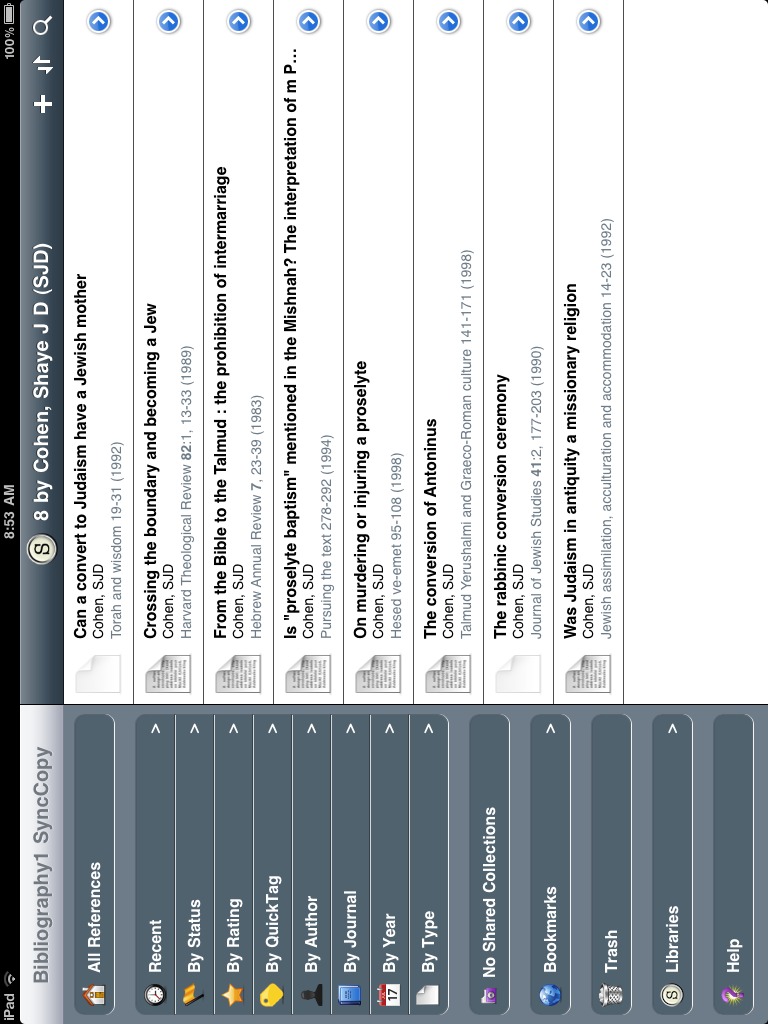
The best way to offer this review is simply to describe how events transpired. Eric (my GA) took the Bookends 1Apparently they too are working on an iOS app. database that a previous GA had prepared with about 170 entries and we had a folder (shared on Dropbox) of about 90 PDFs. Eric exported the Bookends file into an Endnote format and the imported it into Sente desktop app. Perfect! Everything came right in with no troubles. He then associated the PDFs with the relevant citation/entry. (You can have Sente store these all in a bundle or as a folder that it will automatically organize for you. I chose to have it import the PDFs and organize them for me and I will later delete the original folder of PDFs.)
At this point we were sharing one database file via Dropbox. This works but you need to be careful not to have it open in two places at one. Fortunately Sente has a solution for this: Sente 6 Synchronized Libraries!
Work on your library on any of your computers and always have up-to-date information everywhere. Or, share one library with any number of colleagues, and give each person the appropriate level of access to your data.
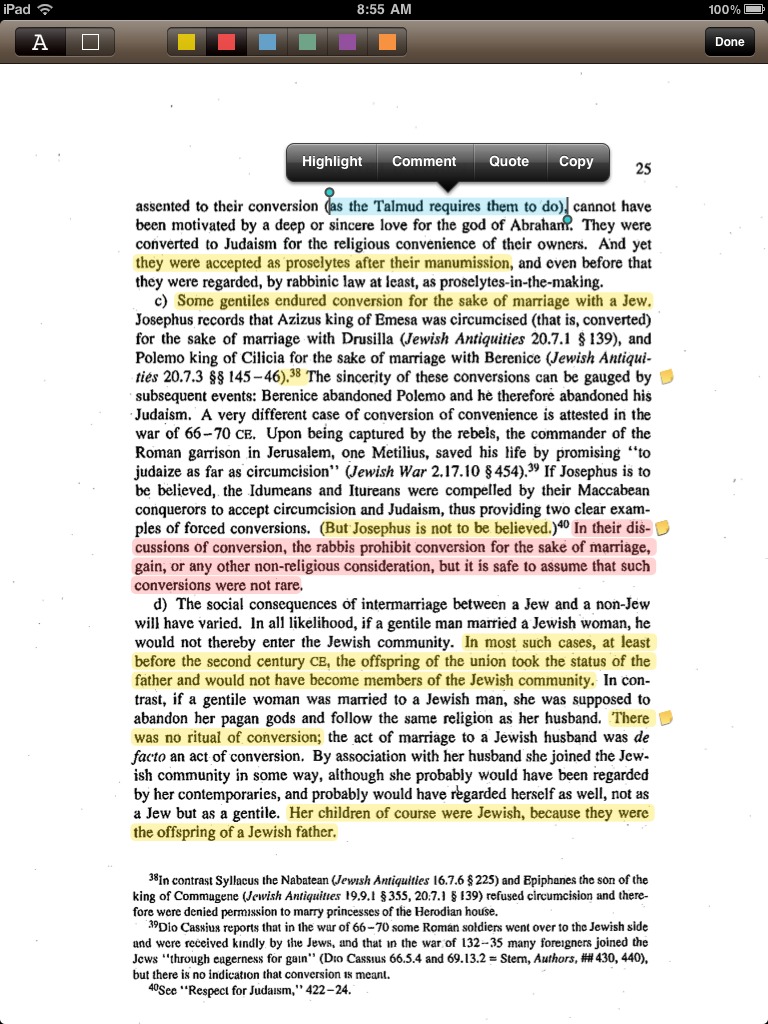
I won’t bore you with the details of the process, but suffice to say that I have the main DB on my office Mac (all are actually backed up via Dropbox) and open the synchronized library on my machine at home, as does Eric. I take notes on a PDF, either in Sente app on the desktop or on the iPad and all copies of the PDF update. One major caveat: you must markup the PDF only in a Sente app. You can open them in other apps but the changes will not be synchronized. As Eric adds new bibliography and PDFs all copies of the database update and the various “smart folders” like “recent changes” make it easy to see what my collaborator has been working on. You can also create status tags (and sort by them) so he can flag something as “follow up” and I will see it immediately.
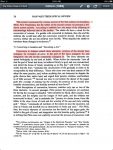
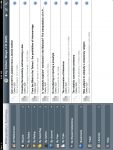
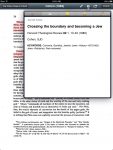
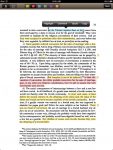
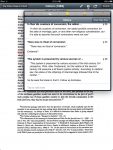
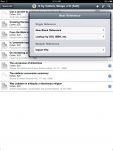
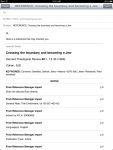
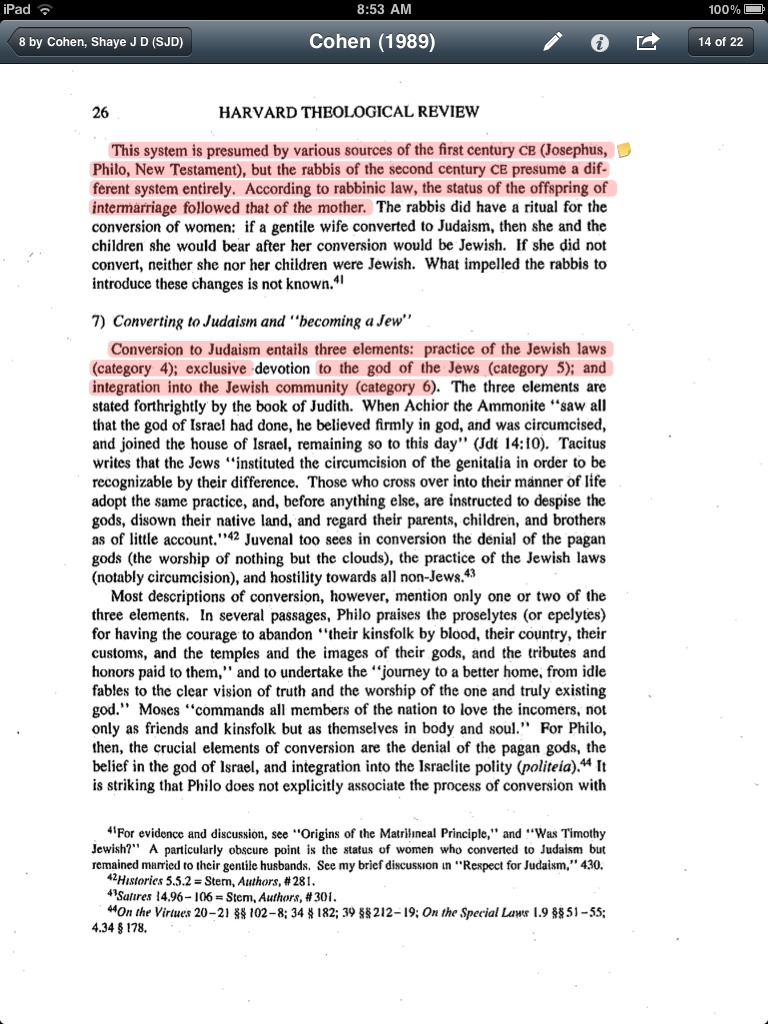
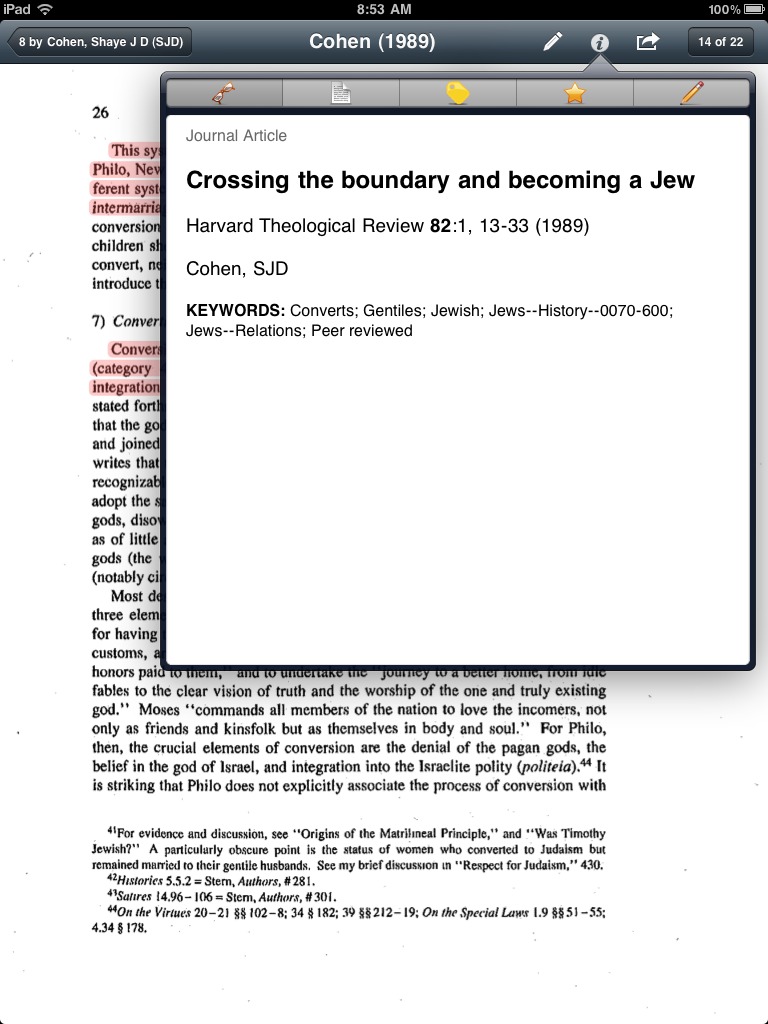
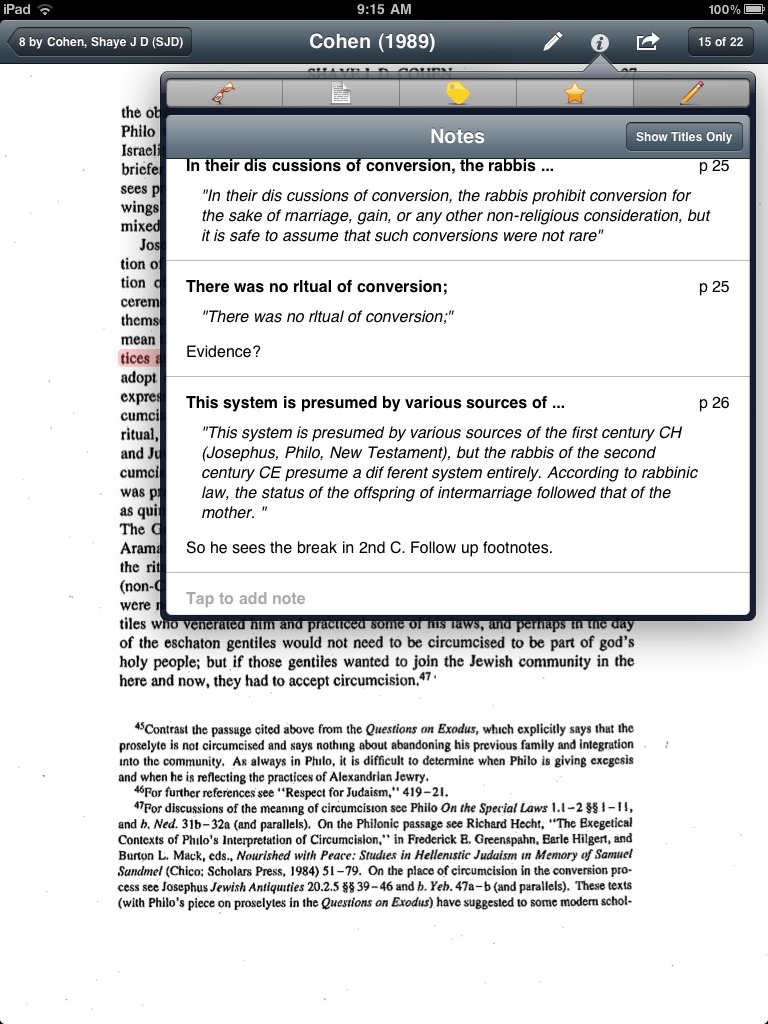
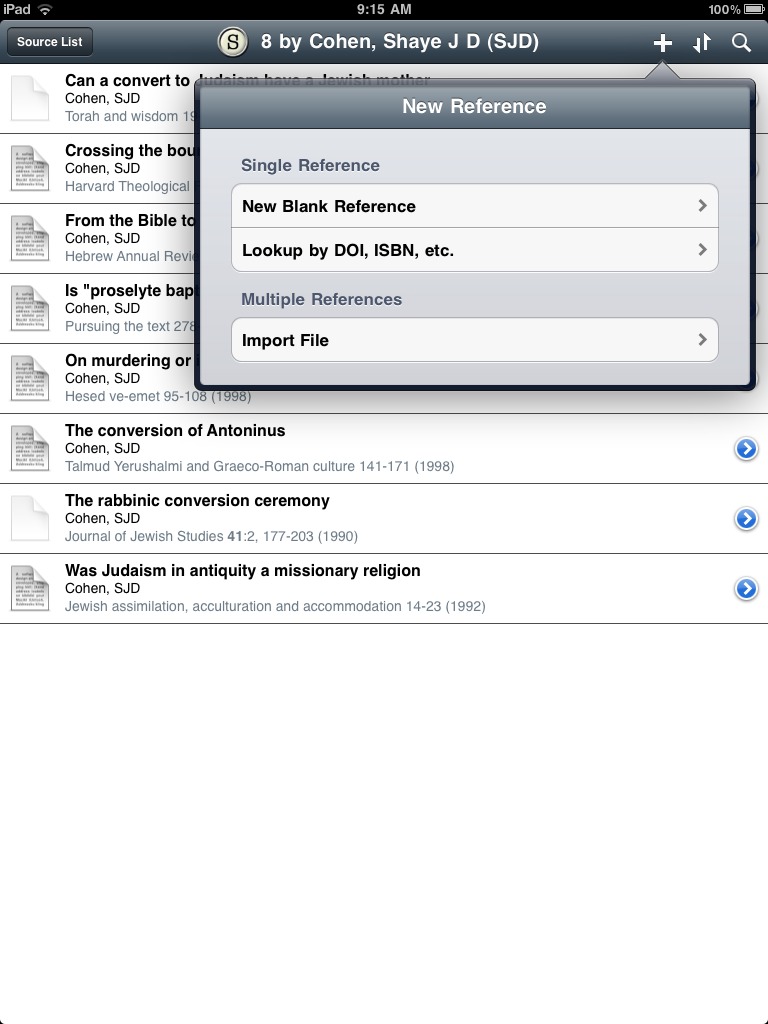
Once you have set up the Sente iPad app you have access to all of your bibliographic material, attachments and all, automatically synced. (You use the iTunes interface to initially add the synced library file and from then on the updates occur over the air, no hardware syncing required.) Inside the iPad app you can highlight, quote, and annotate your PDFs. They obviously have to be OCRd before you add them to Sente to be able to use the quote feature, but even if they are not OCRd or simply are graphics you can use a box tool to lasso the relevant portion (which is then saved as an image in the note) and you can add your annotation as you see fit. You can then send the notes, bibliographic data, and quoted text to someone via an email. I have included a number of screenshots below from the iPad app. I should add that the app can be slow to respond when reading and annotating a PDF. Since iAnnotatePDF regularly warns its users about sluggishness due to large PDFs I am assuming it is a memory issue. It is certainly usable, but does merit some patience at times.
Both the desktop and iPad app make it very simple to add both references and PDFs from within the app using their integrated browser and database searches.
I have not yet tried to use Sente within a paper for citation and bibliography creation. All accounts on the user groups are that it works fine with NWP and is built right in to Mellel. It also integrates well (so I read) with Word.
Everyone has their own work habits and patterns so Sente may not be for you and some will always only insist on using free options. So far I have found it to not only be incredibly solid but a great tool for collaboration. While I am reading an article I can highlight a footnote and send it in an email to my GA asking him to follow up on the references. All from within Sente. (And because Eric is so good, the next day I had a half a dozen new entries in my library with their PDFs!) This is some pretty tight integration and has certainly helped me in my research. YMMV.
- 1Apparently they too are working on an iOS app.








30 thoughts on “Sente Review: Bibliographic software for the Mac & iPad”
I’ve mentioned Sente on my blog before, it is indeed good software. One of the main differences between Sente and Papers beyond what you mentioned is that it is not a bibliographic manager, properly speaking. It does not work with a word processor to generate footnotes and bibliographies (though I think they may be working on this).
One major lacking thing in Sente (for me at least) is that it cannot import a list of abbreviations into its journal dictionary. In our discipline, there are a whole wack of abbreviations that we need to work with for book series and journal articles. There is currently no way in Sente to import a whole list, you need to put them in one by one. I’ve asked the developer to address this, but another voice asking wouldn’t hurt (hint hint).
For what it’s worth, Bookends is also working on an iOS app. Mendeley also has an iOS app I believe. And there are rumors of a Zotero app too. Sente, though, may well remain unique in its syncing of PDF highlights.
Thanks Danny. I wil add my voice to the clamor as well. They tell me they are also working to get JSTOR working, at present there are issues.
Good to hear. I’m surprised you prefer Nisus over Mellel.
I was actually an early beta tester for Mellel and was one of those who argued forcefully (and successfully) for allowing two sets of footnotes, such as found in the Aramaic Bible series. That being said, Mellel never quite worked for me.
On the other hand, I have used Nisus since 1994 and if you search long enough you can find emails from me to the support group dating back to the mid 90s. NWP is the best environment I have found on the Mac for the kind of work I do. Again, to each their own… (But I do most of my office work in Word for obvious reasons.)
Word is the devil. Seriously though, I never use Word. Pages is so much more pleasant for everything but my academic writing.
I tried Nisus for a time, it was just too slow with big docs for me. Perhaps it has improved since.
Sente reportedly works very well with Pages but I don’t think Pages does right-to-left languages very well.
The more recent versions of Nisus Writer Pro work very well for me. What impressed me was their concern for legacy cases. In other words, it converts to the current format fairly well (headers are messed up, but that is about it) my doctoral thesis which was almost 300 pages and I have been able to work in such larger documents with little trouble.
Chris, do you use legacy fonts instead of unicode? If you use unicode, how does Nisus handle it? It seems like that is still Nisus’s one achilles heel….
I use the unicode fonts and it seems to handle it very well. What is your concern? Ever since they brought it over to MacOS X natively they have used supported unicode.
hmm, okay. I admit I don’t have first hand knowledge. I’ve just read that Mellel is the only word processor on the mac that truly handles Hebrew unicode right to left.
Danny – Not at all! NisusWriter has been around on the Mac for decades and while they took some time getting to MacOS natively (Mellel beat them to the native app) NWP has been doing quite a good job with R-L.
Now, I have to admit that my use, up to date, has been relatively limited, a paragraph in Aramaic here or there, a line, and so on. I don’t write in Hebrew myself, rather I am citing ancient texts, but it has worked very well with basic formatting for me so far. (You know, the sort of formating one needs for an article or book.)
You can try NWP for free: http://nisus.com/pro/ And you a read a bit more about their multilingual support here.
Thanks for posting this. I will give sente a try based on this review – I am just starting out doing research and am dismayed by what seemed to be a huge amount of printing ahead of me. Thanks!
I am a medical oncologist specializing in prostate cancer but my PDF library on medical articles involves over 10,000 PDFs. I left the PC for Mac about 4 years ago and now have multiple Mac devices including iPad, iPhone, iPod. My operating system is Snow Leopard on my iMacs, MacAir and MacBook Pro.
Your blog on Sente Review: Bibliographic software… was perhaps the most illuminating of my searches in my intense attempt to see if I could find a better “mouse-trap” then what I have been using to 1) organize my medical data, 2) easily create bibliographies for publications in the peer-reviewed literature.
In the past I have used Word on the PC and then Word in Office for the Mac. I got disgusted with Word and moved to NeoOffice finding incredible tools that help me navigate a complex medical record easily. My major search tool has been Quosa (www.quosa.com) which has a beautiful interface with EndNote where articles retrieved in Quosa can be manually selected to be imported to an EndNote Library of your making.
I recently retried using Papers trying to understand how this app and others competing with it could help me better organize my PDFs, graphics, Docs saved as Word docs, etc.
I believe all of these apps focus MORE on retrieving metadata that is of use with bibliographies than on organizing actual files of the sorts mentioned above. Please let me know if I have under-appreciated any app in this regard since this is so important for me.
None of these apps, I believe, have a way to link important concepts from one document or one folder to another. Some apps like The Brain have attempted to do this.
My conclusions so far is that Sente offers a very solid application that MIGHT solve most of the issues I have raised above. I still believe that my naming of subfolders is better than any of the “automated” apps out there so this may not satisfy my needs. I did note that when I retrieved info in Sente and then used the Autolink function and selected Google Scholar it did result in my finding some papers that I had somehow missed with other tools. I also noted that within the Sente application I can make many different kinds of annotations but please note that these are seen only with Sente and not on the actual PDF. Currently, I use Acrobat Pro v 9.1 to annotate my PDFs with highlights, underlines, comments or simply with the typewriter tool to add comments easily seen.
Currently, I am reading the Sente manual within Sente app and making comments, indicating errors on the part of Sente as well as questions for Sente’s tech support. The manual is over 300 pages and now, at page 80, I feel that Sente might have enough attributes e.g., importing my EndNote libraries with attached files directly into a Sente library that Sente might provide a solution to a fair number of issues.
I wanted to share my experience so far with others on this blog since those prior comments prompted me to try out Sente 6.5. Thanks.
Wow! Thank you Stephen for such a full reply. My only comment is on folder organization. You write
When you create a new Library in Sente you have the option of whether it auto-organizes for you or keeps you own organization. So in this case, you can get the best of both worlds.
I am a nursing PhD student and struggling with the burgeoning amount of literature I’ve collected and how to methodically organize it. I want to go from piles of papers in my office to an online system. I downloaded Senti but cannot figure out how to get started. I’ve read the manual which is not helpful.. seems geared toward those who are comfortable with other reference software and are just converting over to Senti. I need help as a totally new user. I even checked YouTube to see if there were any demo’s, but alas there was not. Anyone know a reference to show how to get started?
Dee. I am up to page 160 in the Sente manual reading it, highlighting text, making comments about the Sente Manual within Sente. On a scale of 1-10 as a user manual I would rate it about 7. It is certainly detailed and long (over 300 pages). But I have learned a lot in doing my due diligence.
Going from papers you have in your office to an online system would, for me, involve scanning them to PDF. The Fujitsu ScanSnap is something I discovered years ago as a rapid scanner of large amounts of hard copy (paper) directly into PDF format. It did come with Acrobat Standard which also allowed OCR, which you need if you wish to make annotations on the PDFs you have scanned.
Once you have the SOURCE of your INFO (PDFs in your possession as well as documents you can obtain via Online searches, you can bring them into SENTE in many ways. That too is in the manual.
Therefore, your message sounds like you are starting from essentially a lot of papers and not computer files. If you have computer files then please clarify the format i.e.,PDFs, image files like jpgs, gifs, tiffs, or documents as in Word docs.
If the above is the case, you really want to clarify what goal you have in using Sente versus just organizing PAPER → PDF. For the last 30 years as a physician, I have simply organized files within computer folders and subfolders by titles of my choosing. For medical publications I have used software applications that integrate searches using search engines like PubMed and Google Scholar.
You need to clarify, if you know, what are your goals. Perhaps using Sente is totally irrelevant to your needs.
I was just about to pull the trigger on Papers 2, which at this time does have annotation, an iPad app, and bibliographic citation support (yet it is still not properly speaking a citation manager). But, I just saw this post and am particularly interested in syncing highlights and citation management combined in one app.
Since this post is now a year old, do you have any follow-up comments on the whole workflow or updates to the apps?
Rick – Thank you! I had not realized it has been almost exactly one year (over by a mere 10 days). All that there is really to say is that ThirdStreetSoftware continues to update both the Mac app and the iOS app for the better. On the iPad it is more stable, seems to be able to handle larger PDFs with less choking and overall very stable. I am still a happy user.
On the MacOS side of things, they user interface just got a much needed update and there is always the tweaks going to to the various citation formats, as an earlier comment notes. The most recent MacOS update “broke” the ability to have your DB shared on Dropbox. That sounds worse than it is since the whole point with Sente is that they have a syncing system already built in. (They no longer allow you to open a library/DB with “Dropbox” in the file path.) This is in fact a help because apparently some people were getting corrupted databases because they were essentially using Sente improperly.
All in all things have gone from great to better. The programmers seems responsive and things continue to improve incrementally. I continue to highly recommend it.
Thanks for the update. I’ve got some more thinking to do here. The price for Sente Mac + iPad is $110 (w/ academic disc), whereas Papers 2 Mac + iPad is about $50 less.
Of course the big difference is citation management, for which I have Zotero, Bookends and EndNote (though I don’t prefer EndNote). I’m happy with the Zotero Standalone app + Word, but it isn’t nearly as robust as BookEnds. And, I’m thinking of writing my thesis with either Mellel or NWP instead (I don’t need RTL support, but don’t want to risk any stability issues).
So, definitely more to think about. Thanks for the post and follow-up!
……
btw, Danny if you’re still following this thread…did you ever write an SBL style for Sente?
Rick
There are new pricing structures with Sente 6. There is a free account with up to 250MB of storage and the Sente app for Mac + iPad, at full price should only be $49.95 + $0 (the new iPad app is free). For an academic the cost is even less, $29.95.
You can now also purchase more server space anywhere from 5GB at $20/yr to 100GB for $130. Most folks will probably be fine with the 1GB account.
Thank you for this. I always appreciate and benefit from your technology and software articles. I wish we had offices next to each other! 🙂
There is one issue that bothers me about Sente; the PDF annotations are not standard. If you stop using sente for some reason, you will not be able to see your annotations in any other application. iAnnotate is superior in that respect; it follows the industry standard annotation system. You can see the annotations from iAnnotate on any system; windows, linux, mac, any mobile app, acrobat, Foxit. Sente is a lockdown. very disturbing.
Thanks for all of the posts. My case and background are somewhat similar to Stephen Sturm’s. I have a database of over 25,000 articles with attached PDFs that were collected and categorized over 2 decades using EndNote, currently version X7 on PC. After recently switching to Mac OS X as my primary platform for review and literature search, I started looking for alternatives. At the same time, I was very happy with MS Office 2010 and EndNote on PC. EndNote searches can be saved and are specific. I have not had any instability issues and not one file corruption going back 2 decades to EndNote version 2. I recently purchased and tried Sente (i.e. not the free version). Sente has been disappointing despite the much touted Sync2. It seems to always be doing something else and changes have crept back in. There must be Sync2 issues in the background. I did not find their support responsive (I have always received a response from Thompson Reuters about EndNote within 48 hours and their forums are very helpful. Sente has yet to respond to anything after a week). Sente’s PubMed search is utterly useless. It is slow and non-specific. For example, search for words to occur within the title only, and get many irrelevant results, and really slow too. That is inexcusable for paid software. Since recently, EndNote’s EULA allows multiplatform deployment with three either PC or Mac OS X installations with a single license. I now have a single huge EndNote library on a Windows BootCamp drive and I can also work with the same library using EndNote X7 on Mac OS X (using Paragon’s NTFS drivers for read/write Windows NTFS access). EndNote X7’s interface is somewhat dated and wastes valuable screen space with their useless logo in the menu bar. But still, this has been the best solution so far. Still, for people in the life sciences starting from scratch, I would strongly recommend the combination of LibreOffice and Mendeley Desktop, which also worked very well me. However, I have not tested Mendeley with any sizeable database as my needs are now well met with my dual platform EndNote use. And of course, I regularly back up my EndNote library to an external hard drive.